Free Alternative FreeAlternative
S

SourceGit

No reviews (0)
Add Link

SourceGit: A free, open-source GIT client for Windows, macOS & Linux. Excellent SourceTree alternative with great features and a clean interface. Written in C#.
SourceGit

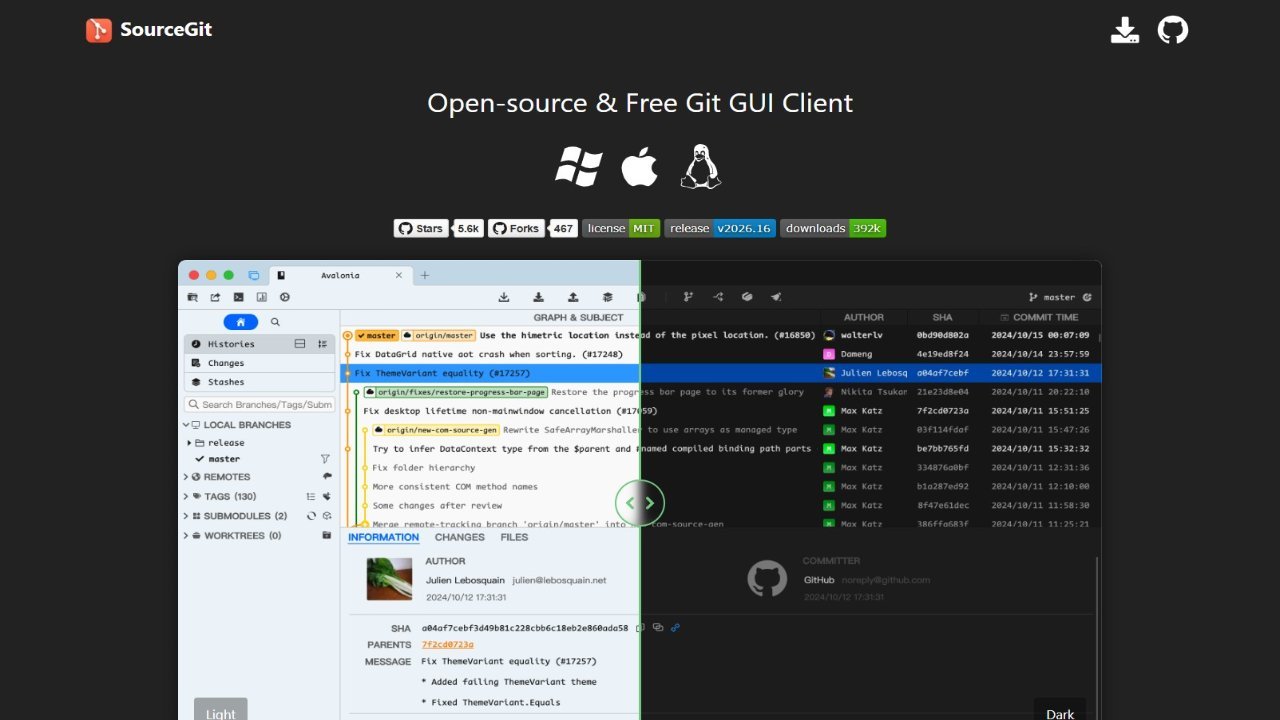
SourceGit is a free and open-source graphical user interface (GUI) client for Git version control. It provides a visual way to interact with Git repositories, making it easier to manage branches, commits, and other Git operations. While SourceGit primarily focuses on Linux environments, specifically Debian 12, it supports both X11 and Wayland display servers. This makes it compatible with a wide range of modern Linux desktops. Users can use SourceGit for tasks such as viewing repository history, staging changes, creating branches, merging code, and resolving conflicts. The application aims to simplify Git workflows for developers who prefer a graphical interface over command-line tools, offering a user-friendly alternative.

About SourceGit

  • Link: https://sourcegit-scm.github.io
  • Features: Lightweight, Support for Themes, Privacy focused, Dark Mode, Cross-Platform, Ad-free, Syntax Highlighting, Support for @mentions, Git Support, Works Offline, File Versioning, No Tracking, Team Collaboration
  • Supported Platforms: Mac  Download sourcegit_x.y.osx-x64.zip or sourcegit_x.y.osx-arm64.Make sure git-credential-manager is installed on your mac. You may need to run sudo xattr -cr /Applications/SourceGit.app to make sure the software works., Windows, Linux  xdg-open must be installed to support open native file manager. Make sure git-credential-manager is installed on your linux. Maybe you need to set environment variable AVALONIA_SCREEN_SCALE_FACTORS. See [https://github.com/AvaloniaUI/Avalonia/wiki/Configuring-X11-per-monitor-DPI](https://github.com/AvaloniaUI/Avalonia/wiki/Configuring-X11-per-monitor-DPI).
  • Pricing: Free, Open Source (MIT)

SourceGit Review & Rating

Add a Review